How to Configure BACnet IP Data Collection
1. Protocol Overview
- Protocol Description: BACnet IP is a communication protocol for building automation and control networks, based on IP networks for data communication and control. It enables interoperability between building devices, supporting connections via Ethernet or Wi-Fi to achieve control and data exchange between devices.
- Application Scenarios: This protocol is widely used in building automation, industrial IoT, and related fields to achieve data acquisition and control through BACnet-compliant devices.
- E2C Trinity Support: E2C Trinity acts as a Client, supporting connection and data acquisition from devices via the BACnet IP protocol, and supports device discovery and communication across different network segments.
2. Prerequisites
Before configuration, ensure the following preparations are completed:
- Hardware Connection
- Ensure E2C Trinity and target BACnet IP devices are connected to the same LAN via Ethernet cable with proper network connectivity.
- Connect the debugging PC to the E2C Trinity gateway for configuration.
- Network Parameters
- Obtain the target device IP address and port number; default port: 47808.
- Ensure E2C Trinity and devices are on the same network segment with no IP conflicts.
- Device Parameters
- Prepare the BACnet Device ID (Device Instance Number).
- Confirm polling interval, BBMD settings (optional), Device ID and other parameters.
3. Configuration Steps
Configure on the E2C Trinity web interface as follows.
3.1 Add Device
Step 1: Open the Entry
Log in to the E2C Trinity management interface. Go to [Data Acquisition] to enter the configuration page.
Two methods are supported: Add Manually (Single Device) or Auto Search (Batch Devices).
Method 1: Add Single Device Manually
- Add DeviceClick Add Device, enter a unique device name, and select the BACnet IP driver.
- Complete InformationFill in the page details (do not click Auto Search), then save and submit.Click Publish in the upper right corner to apply the configuration.
| Parameter | Description | Example |
|---|---|---|
| Name | Unique device name for identification | PackagingWorkshopA-Packer03 |
| Protocol | Communication driver; select BACnet IP | BACnet IP |
| Local Network Port | Local network interface for device communication | eth0 |
| Port | Target device port; default: 47808 | 47808 |
| Enable BBMD | Enable BBMD for cross‑segment device discovery | Enable |
| BBMD IP | BBMD server IP (if enabled) | 192.168.0.10 |
| BBMD Port | BBMD port (if enabled) | 47808 |
| BBMD TTL | BBMD time‑to‑live (seconds) | 300 |
| Device ID | BACnet device instance (0–4194303) | 12345 |
| Polling Interval | Data acquisition interval (seconds) | 10 |
| Description | Device description | PackagingWorkshopA-Packer03 |
| Acquisition Timeout | Response timeout (ms) | 1000 |
| Enable Batch Acquisition | Enable reading multiple consecutive tags in one request | Enable |
| Max Batch Count | Max number of tags per batch read | 64 |
| Comm Interval | Interval between communication requests (ms) | 10 |
Method 2: Auto Search & Add Multiple Devices
- Add DeviceClick Add Device and select the BACnet IP driver.
- Auto SearchClick Auto Search, fill in the popup parameters, then click Search.Note: For large projects, run scanning during low communication load or after pausing acquisition to improve stability.
- Select DevicesCheck multiple devices and click Next to add in batch.Device names are imported by default; edit to ensure uniqueness if needed.
| Parameter | Description | Example |
|---|---|---|
| Local Network Port | Local network interface for device communication | eth0 |
| Port | Target device port; default: 47808 | 47808 |
| Enable BBMD | Enable BBMD for cross‑segment device discovery | Enable |
| BBMD IP | BBMD server IP (if enabled) | 192.168.0.10 |
| BBMD Port | BBMD port (if enabled) | 47808 |
| BBMD TTL | BBMD time‑to‑live (seconds) | 300 |
- Finalize ConfigurationConfirm the following parameters, then click Save (or Save & Configure Tags for quick tag setup).Click Publish in the upper right corner to apply the configuration.
| Parameter | Description | Example |
|---|---|---|
| Polling Interval | Data acquisition interval (seconds) | 10 |
| Acquisition Timeout | Response timeout (ms) | 1000 |
| Enable Batch Acquisition | Enable reading multiple consecutive tags in one request | Enable |
| Max Batch Count | Max number of tags per batch read | 64 |
| Comm Interval | Interval between communication requests (ms) | 10 |
| Description | Device description | PackagingWorkshopA-Packer03 |
- Configure TagsIf you click Save & Configure Tags:
- Left pane: search results; right pane: batch add list.
- Search by object name/type; switch devices at the top.
- Select multiple tags and click Subscribe or Poll to add to the right pane.
- Tag names are auto‑generated (spaces removed); ensure uniqueness per device.
- Click Save to finish adding devices and tags.
3.2 Add Tag
Two methods: Add Manually (Single Tag) or Auto Search (Batch Tags).
Method 1: Add Single Tag Manually
- Add TagClick Add Manually, fill in the parameters and save.Repeat to add all required tags.Click Publish in the upper right corner to apply changes.
| Parameter | Description | Example |
|---|---|---|
| Acquisition Mode | Polling or Subscribe | Polling |
| Name | Unique tag name (used in reporting) | ProductionCount |
| Tag Type | Device Tag / Virtual Tag | Device Tag |
| Object Type | BACnet object type (AI, BI, etc.) | AI (Analog Input) |
| Instance Number | Object instance (0–4194303) | 1 |
| Data Type | Auto‑mapped by object type | float(float32) |
| Read/Write Permission | Determined by object type | Read Only |
| Unit | Value unit | pcs, °C, kWh |
| Associated Group | Tag group assignment | – |
| Description | Tag description | Quantity of products produced |
| Data Operation | None / Offset Scaling / Ratio Conversion | None |
Method 2: Auto Search & Add Batch Tags
- Auto SearchClick Auto Search, select desired tags, click Subscribe or Poll to add to the list, then click Save.After editing tags, click Publish to apply.
4. Verification & Troubleshooting
Common Issues
- Device cannot connect:Check IP, port, network connectivity and firewall.
- Data acquisition failed:Verify object type, instance number, data type, polling interval and timeout.
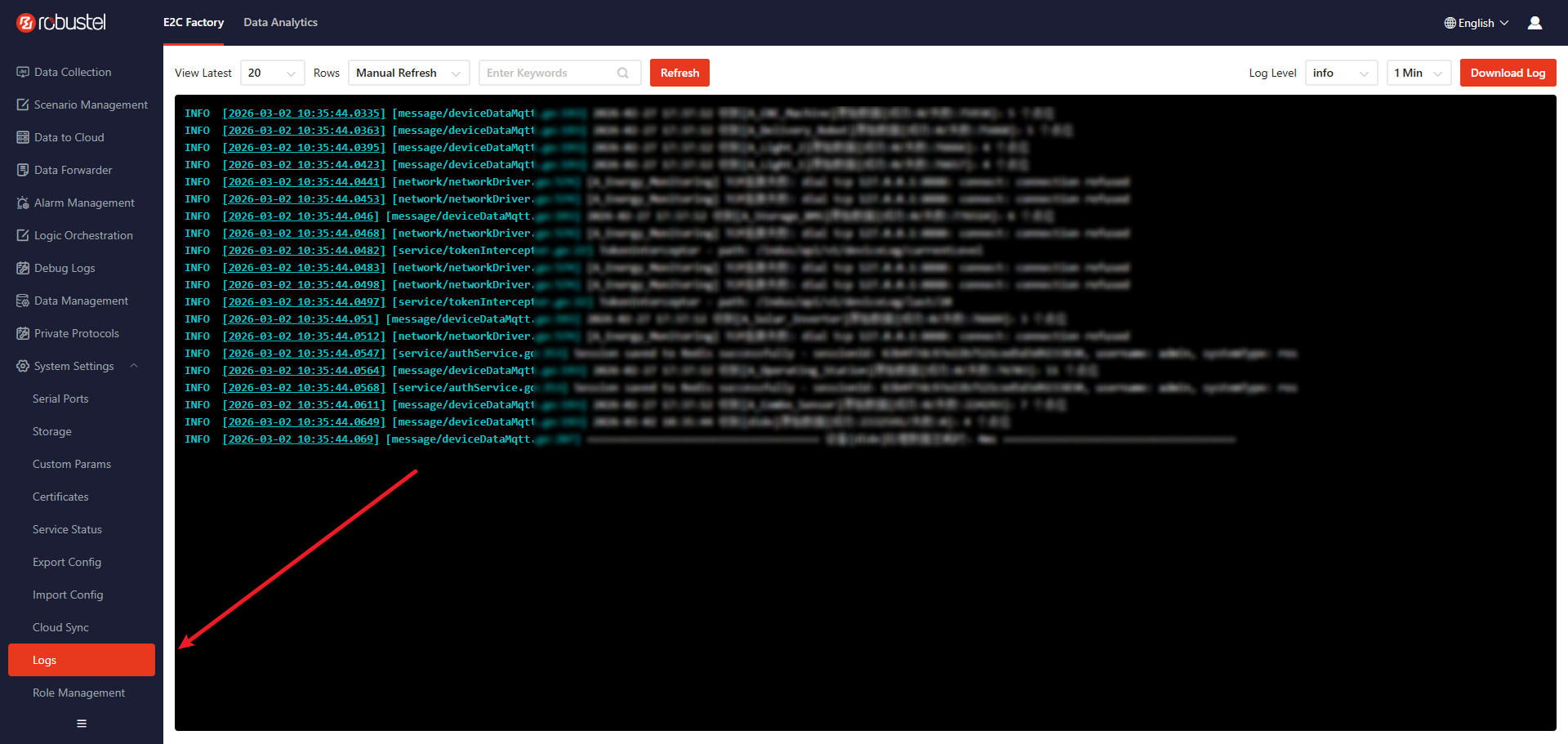
- Where to view logs for issues?
- Debug Logs
System Logs:
5. Appendix
Protocol Data Type Mapping
Data type and permission mapping in E2C Trinity:
| Object Type | C Type | Data Type | R/W Permission | Description |
|---|---|---|---|---|
| Analog Input (AI) | float | float(float32) | Read Only | Single‑precision floating point |
| Analog Output (AO) | float | float(float32) | Read/Write | Single‑precision floating point |
| Analog Value (AV) | float | float(float32) | Read/Write | Single‑precision floating point |
| Binary Input (BI) | bool | boolean | Read Only | 0/1 = INACTIVE/ACTIVE |
| Binary Output (BO) | bool | boolean | Read/Write | 0/1 = INACTIVE/ACTIVE |
| Binary Value (BV) | bool | boolean | Read/Write | 0/1 = INACTIVE/ACTIVE |
| Multi-state Input (MSI) | uint32_t | uint32 | Read Only | Unsigned integer for multi-state |
| Multi-state Output (MSO) | uint32_t | uint32 | Read/Write | Unsigned integer for multi-state |
| Multi-state Value (MSV) | uint32_t | uint32 | Read/Write | Unsigned integer for multi-state |
Revision History
| Version | Date | Author | Changes |
|---|---|---|---|
| 1.0 | 2026-02-05 | WX | Initial document creation. |